Why your web app freezes when you open a second tab
One tab worked, two tabs froze every click. The server was fine: HTTP/1.1's limit of 6 connections per site was full. Here's why, and how HTTP/2 fixes it.

Taleeha Tahoor
October 24, 2026 · 4 min read
Let me explain through a problem I faced. By the end, you'll understand both.
The problem
I was building an internal tool. With one tab open, it worked fine. When I opened a second tab, both tabs became slow. Clicks took seconds to respond.
The server was fast. The code had no errors. So what was wrong?
First, what is HTTP?
Every time your browser talks to a website, it uses HTTP. Your browser sends a request ("give me this email"), and the server sends back a response (the email).
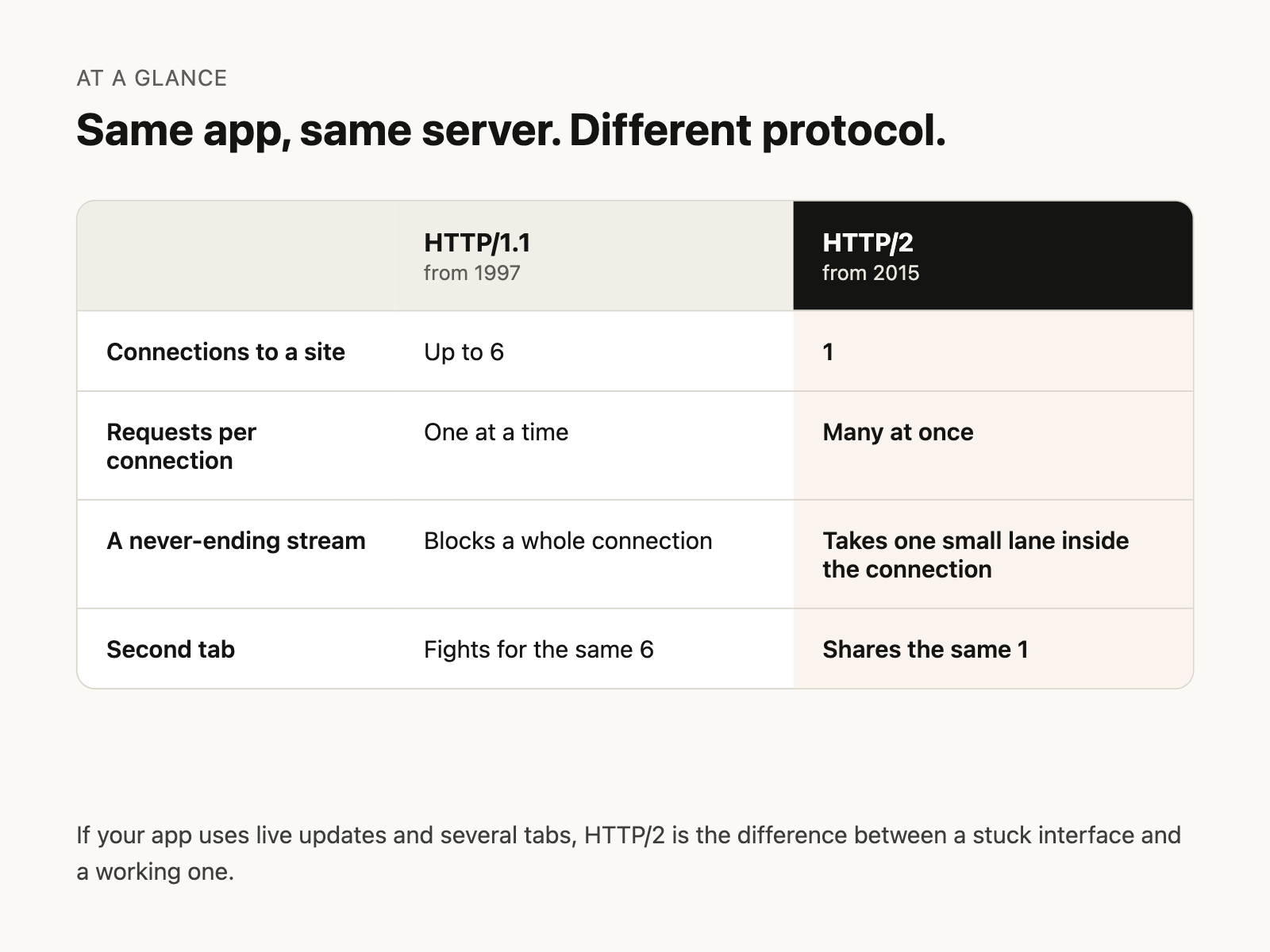
HTTP has versions. The two that matter here are HTTP/1.1 (old, from 1997) and HTTP/2 (newer, from 2015).
My site was using HTTP/1.1. That was the problem.
How HTTP/1.1 works
Imagine a phone line between your browser and the server.
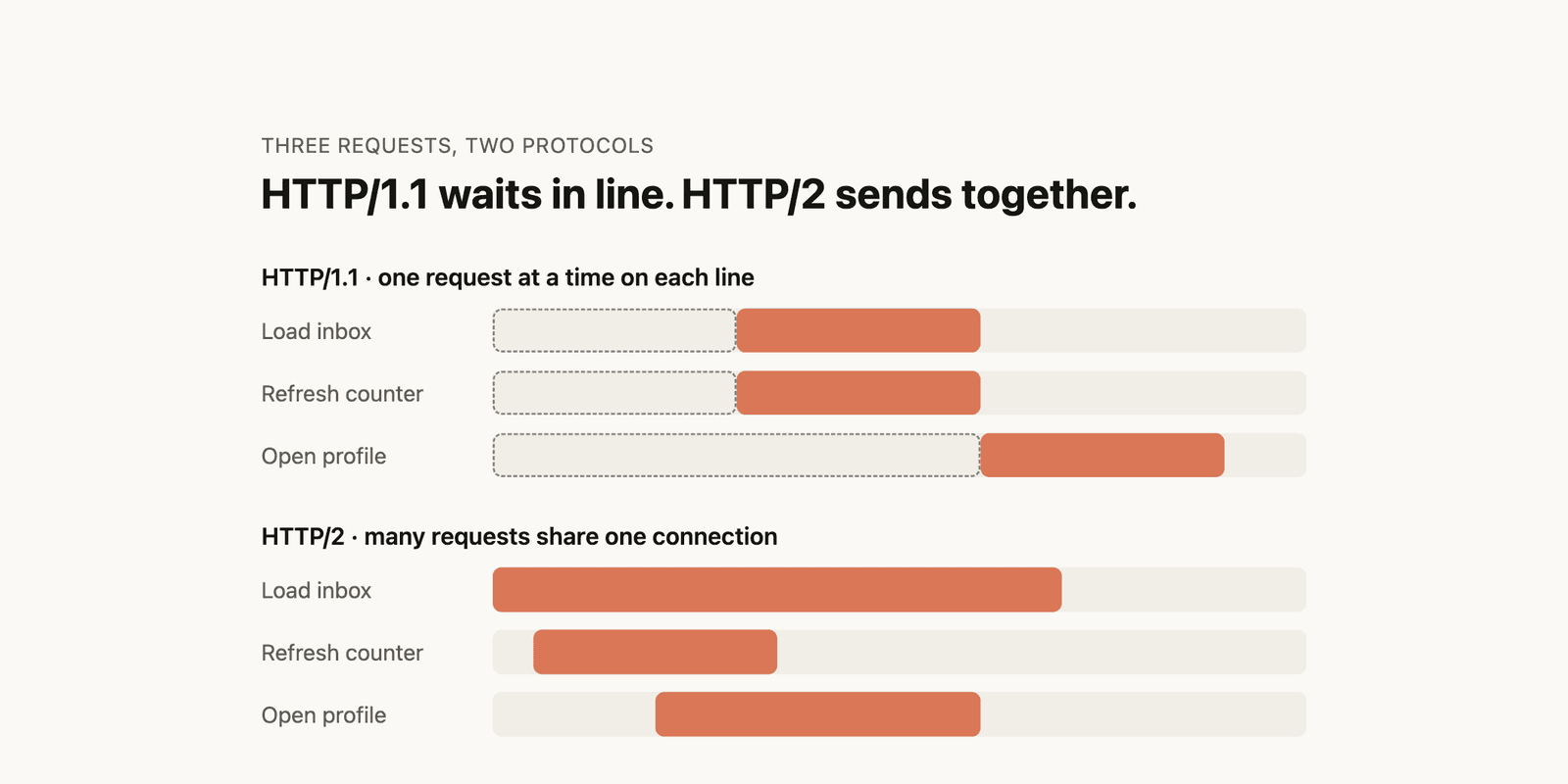
Rule 1: On HTTP/1.1, one phone line can only handle one conversation at a time. While one request is being answered, the next must wait.
Rule 2: To speed things up, the browser opens several phone lines. But it only allows 6 lines per website, and all your tabs of that website share the same 6.
So the browser has 6 lines, and each line carries one request at a time. That's HTTP/1.1.
What my tool was doing
My tool had live updates: things like new data and online status that appear instantly without refreshing. To do this, it opens a connection that stays open forever, so the server can push news whenever it wants. These are called streams.
Each tab opened 5 of these.
Think of it as 5 phone calls where nobody ever hangs up. Those 5 lines are busy permanently.
Why the second tab broke everything
- One tab: 5 of the 6 lines are taken by streams, leaving 1. Every normal request (load an email, refresh a counter) had to share that 1 line. Slow, but working.
- Two tabs: the streams needed 10 lines, but only 6 exist. They grabbed all 6. Normal requests had no line at all and waited until some stream happened to drop.
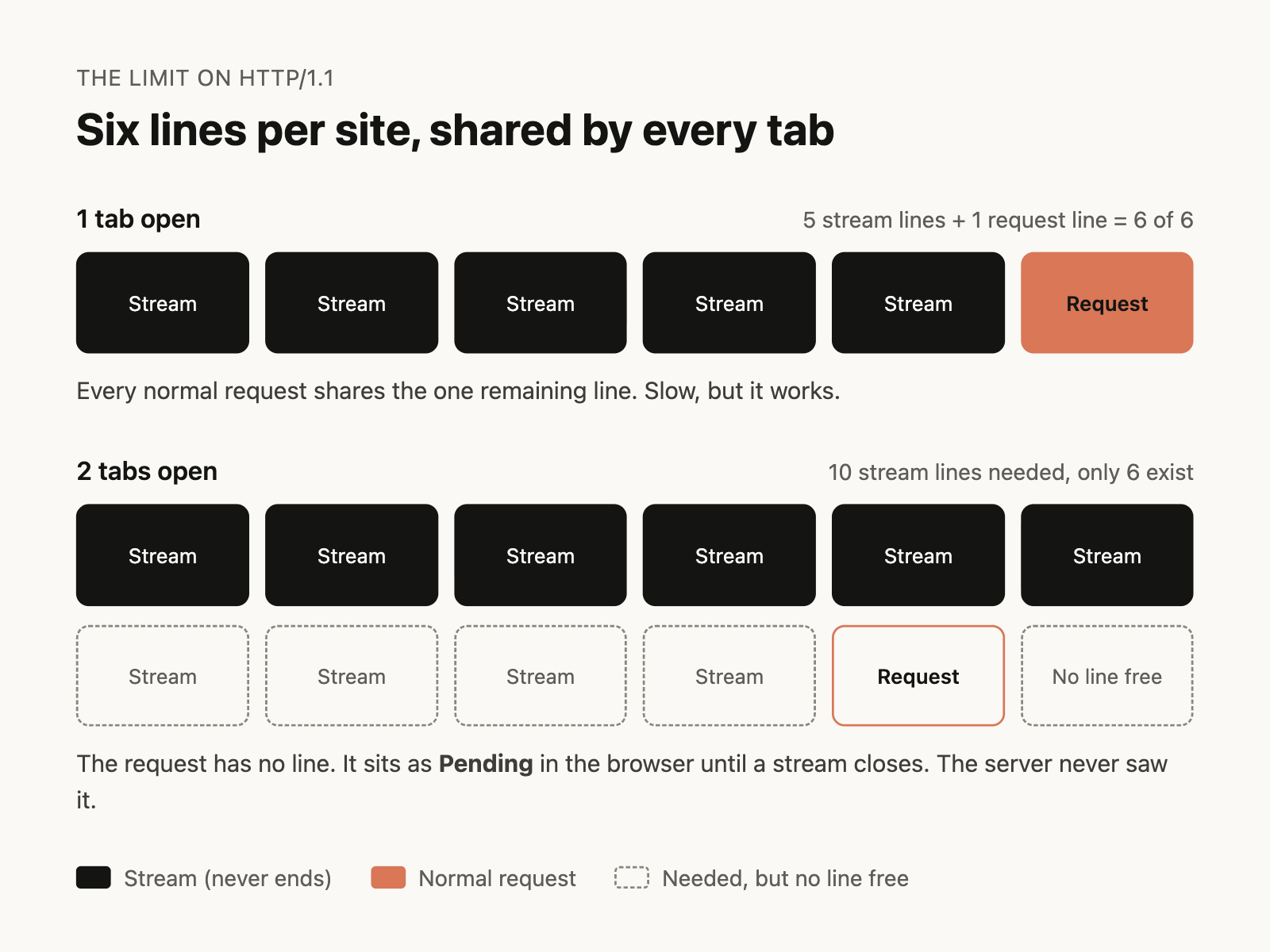
The server was never slow. The request was stuck in the browser, waiting for a free line. In DevTools, this shows as Pending, with the time under Stalled / Queueing.
How HTTP/2 works
HTTP/2 fixes this with one idea: one phone line, many conversations at once.
Instead of opening 6 lines, the browser opens one connection. Inside it, many requests and responses travel at the same time, mixed together in small pieces. Each piece is labeled so the browser knows which request it belongs to. This is called multiplexing.
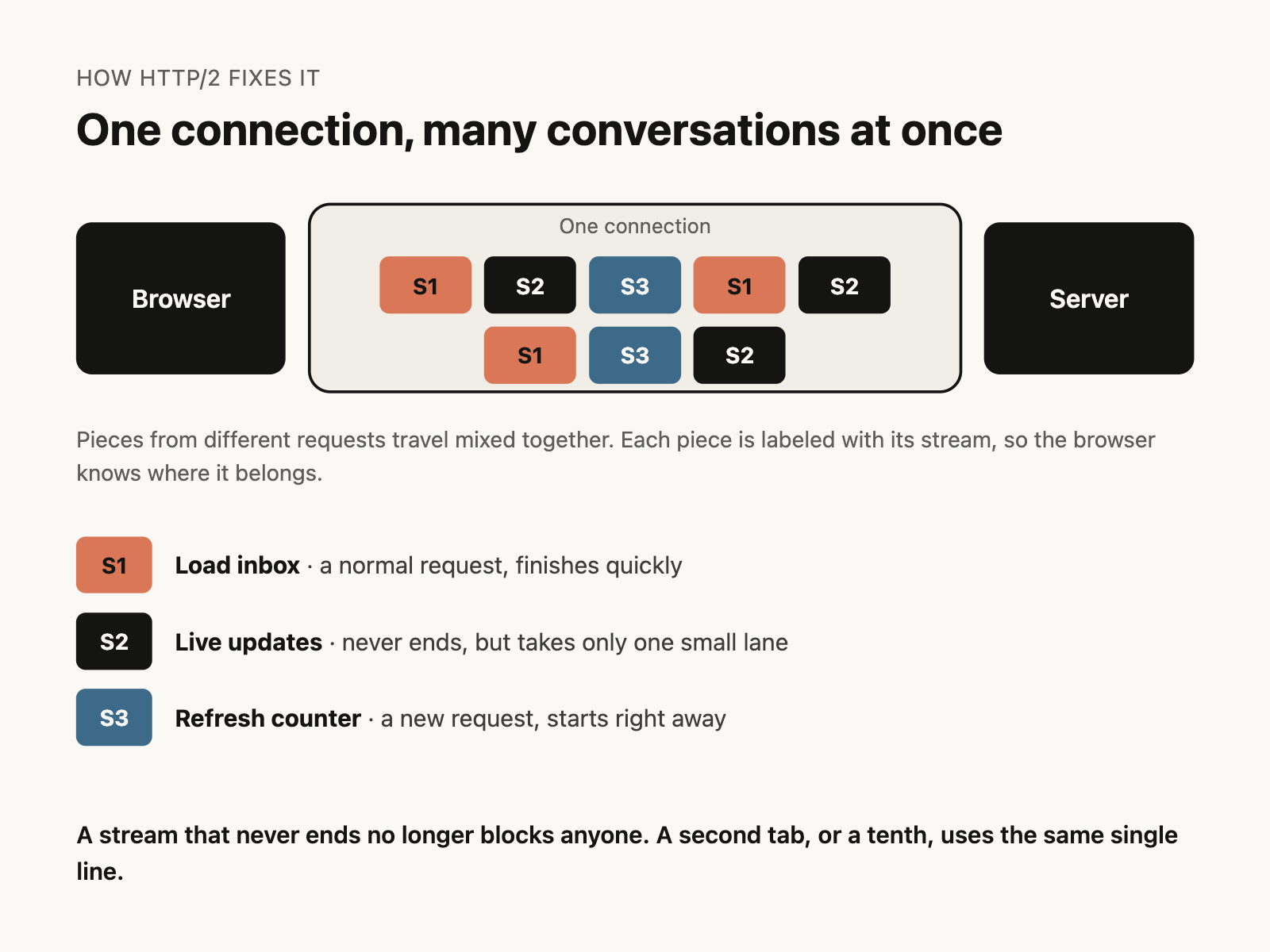
So with HTTP/2:
- A stream that never ends is just one conversation inside the line. It doesn't block anyone.
- A new request starts immediately, on the same line.
- A second tab, or a tenth, uses the same single line.
No limit of 6 to run out of. Same app, same server, and the problem disappears.
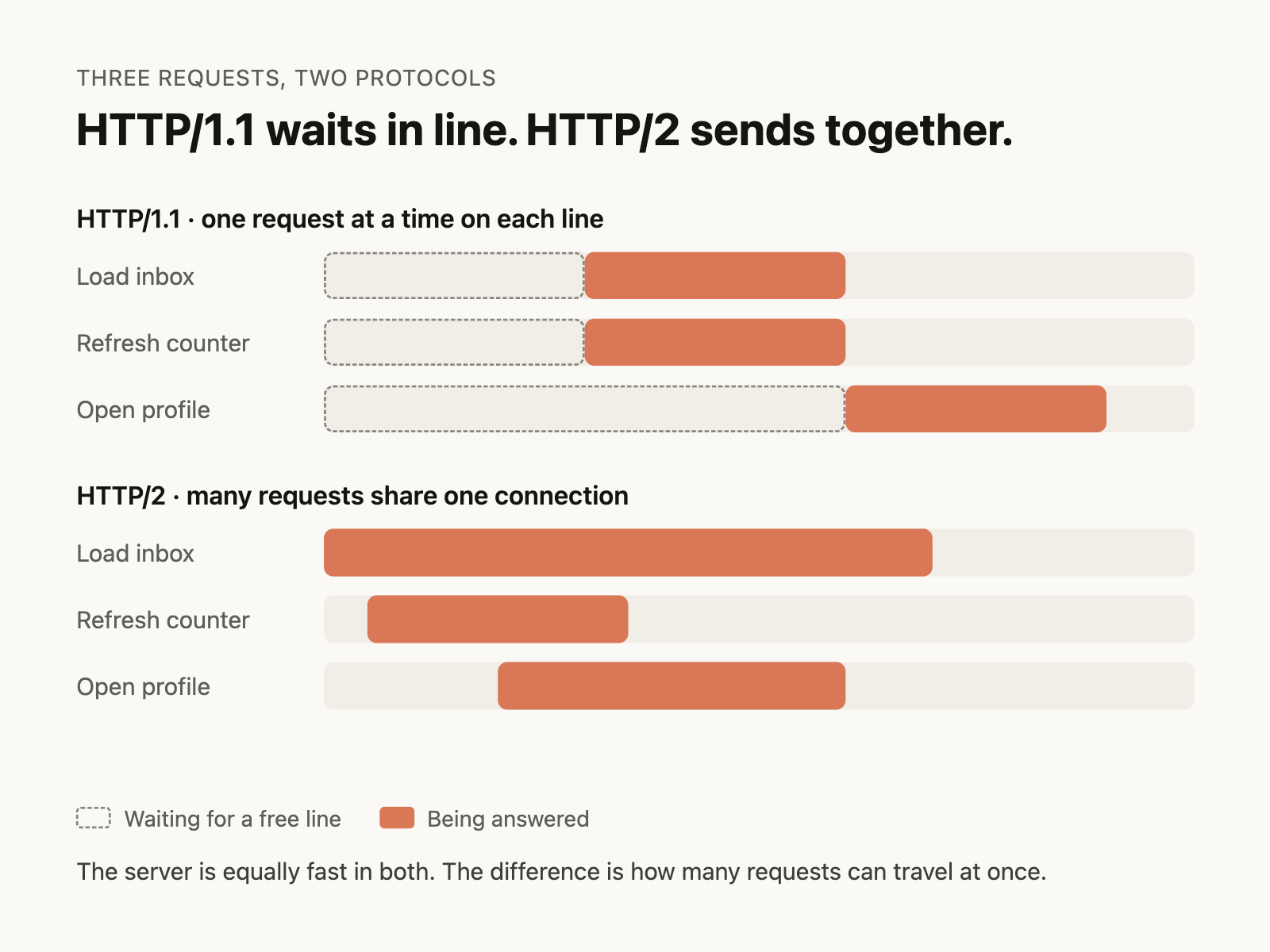
HTTP/1.1 vs HTTP/2 at a glance